

How Much Does a Restaurant POS Cost in 2026?
Compare restaurant POS costs, card fees, hardware, support and add ons so you can calculate the real price before choosing the right system for your venue.
7 min read
On this page
In short: a restaurant POS costs more than its monthly software price. Add the till hardware, card processing, kitchen screens or printers, online ordering, extra devices, support and any contract exit cost. Compare the same setup across vendors, using a full year rather than the cheapest number on a sales page.
DineHarbor publishes its current restaurant POS features and plan prices. This guide explains how to turn any vendor quote into a fair total.
The short answer
Restaurant POS pricing varies because the systems include different things. One quote may cover a till only. Another may include kitchen screens, waiter phones, online ordering and reports. Hardware might be bought outright, rented or tied to payment processing.
Vendor guides commonly describe separate software, hardware and card costs. Toast's UK cost guide, Epos Now's cost guide and Clover's UK overview explain their own view of these components. Treat figures on vendor pages as that vendor's own, then request a written quote for your exact venue.
Last checked: 20 October 2026.
The simplest useful calculation is:
software + hardware + card fees + added products + support + setup + exit costs
Calculate month one, the first full year and a normal later year. A low setup price can hide a higher ongoing cost, while an upfront hardware purchase may make the first month look unusually expensive.
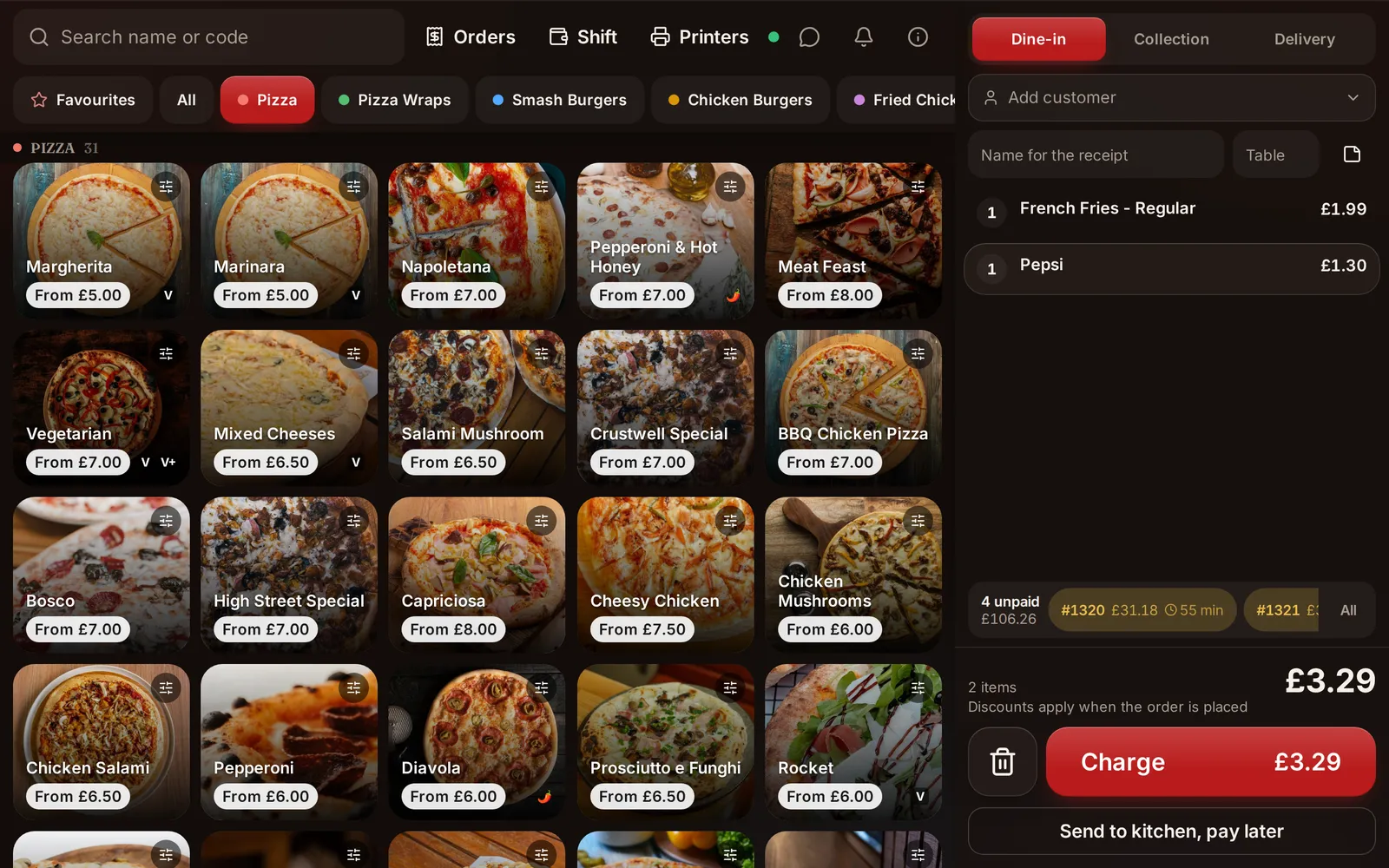
Five costs people forget
Card processing
A rate is only meaningful when you know which cards and transactions it covers. Ask about debit, credit, commercial, international, keyed and online payments. Check the fixed amount per transaction as well as the percentage. Use your own mix of order values because a fixed charge affects a £5 coffee differently from a £100 table bill.
Ask whether you can choose a payment provider. If a vendor requires one processor, include that restriction in the decision even if the software price looks low.
Extra tills, screens and kiosks
Count every device needed during the busiest service, not the quietest. Include a spare strategy. A venue may need two tills, a kitchen display at each station, waiter phones and a manager screen. A kiosk can have its own licence even when the main POS is already paid for.
Ask what happens when you open a second location. Per device and per location charges can change the total quickly.
Online ordering and loyalty
Some systems sell online ordering, reservations, loyalty, delivery and reports separately. Others include them in a plan. Write down what is essential now and what might be needed within a year. Price only products you will actually use, but do not compare a till only quote with a complete operations plan.
Also ask whether online orders carry a percentage fee. DineHarbor takes no commission on orders, but your own payment provider still charges its card fees.
Contract length and hardware lock in
Read the term, renewal, cancellation window and hardware ownership wording. Check whether the terminal works with another provider and whether printers use standard connections. A discount can be reasonable, but only if you understand what you are committing to.
Keep the sales proposal, contract and product list together. If a promise matters, ask for it in writing.
Setup, training and support
Ask whether menu entry, data import, installation, staff training and weekend support cost extra. Confirm support hours and the path for a service stopping fault. If a vendor offers remote setup only, decide who will connect printers and test the kitchen flow on site.
Your own time has a cost too. Estimate the hours needed to clean menu data, train staff and run parallel systems.
Prices published today
The figures below are a narrow snapshot, not a complete feature comparison.
| Provider | Public starting point | What to check |
|---|---|---|
| DineHarbor | Starter £69, Growth £129 and Unlimited £219 per location each month excluding VAT | Device limits, apps and AI allowance differ by plan |
| Square for Restaurants | See the current UK Free, Plus and Premium choices on Square's site | Payment processing, hardware and added products |
| Toast UK | Use its quote and current UK cost guide | Hardware, processing, modules and agreement |
| Epos Now | Use its current written quote | Hardware, payments, software term and support |
| Clover UK | Use its current written quote | Device, software plan, processing and contract |
Sources and prices last checked: 20 October 2026. Square publishes its current offering on its UK restaurant POS page. Other vendors should be marked quote only unless their checkout or proposal gives a current price for your configuration.
DineHarbor's prices come from the live pricing page. The 30 day trial uses the Growth plan, needs no card and includes 500 AI credits to try. The public monthly prices are per location and exclude VAT. Do not rely on this dated table if the pricing page has since changed.
Build your own comparison
Create columns for each vendor and rows for the following:
- Monthly software for every location.
- Till, kitchen, waiter, kiosk and driver device licences.
- Hardware purchase or rental.
- Card charges using your real monthly card turnover and transaction count.
- Online ordering and any fee per order.
- Loyalty, reservations, inventory, reports, API and webhooks.
- Installation, data migration, training and support.
- Minimum term, renewal and cancellation.
Put unknown beside anything not confirmed. Do not turn an unknown into zero. Send the finished list to each vendor and ask them to correct it.
Questions to ask any vendor
Can I export my data?
Ask how to export menus, products, customers, orders and reports. Confirm the format and whether access remains available after cancellation. A practical export matters even when you have no plan to leave.
Is the hardware open or locked?
List the model of every tablet, printer, cash drawer and card reader. Ask what can be reused. DineHarbor runs its till on Android and iPad tablets and in the browser, with support for receipt and kitchen printers using Bluetooth, network or USB where compatible.
What works when the internet fails?
Ask for a demonstration, not a label. Which actions continue, where data is held, how card payments are treated and how records sync later are separate questions. DineHarbor has an offline mode, but the safe operating limits depend on the action and device. Test the exact service flow you need.
Which features are included?
Request a line by line list for POS, KDS, waiter ordering, online ordering, QR tables, kiosk, drivers, reservations, loyalty, stock, reports and integrations. Ask about limits as well as availability.
For DineHarbor, Starter includes POS, kitchen screens, waiter phones and the ordering site. Growth adds the kiosk app, driver app and dispatch, and supports up to five locations. Unlimited removes the stated limits on locations and operator devices. Check the pricing page for current detail.
How will we test it?
Use a trial to build part of your real menu, connect one printer and run a mock service. Enter options, discounts, allergens, split payments and refunds you commonly use. Watch the getting started guide, then give a new staff member the same test without coaching.
The cheapest POS is the one that supports service reliably at a total cost you understand. A low headline price with missing kitchen tools may be poor value. A larger plan full of unused products can be equally wasteful.
Ready to price a real setup instead of a brochure list? Start the 30 day free trial with no card needed.
Questions and answers
Is there a free restaurant POS?
Some vendors advertise a free software tier while charging for payment processing, hardware or added products. Price the complete setup and check current terms on the vendor's own site.
Do I need special hardware for DineHarbor?
The till runs on Android and iPad tablets and in a browser. Receipt and kitchen printers can connect by Bluetooth, network or USB where the device and printer support it.
Does DineHarbor require a long contract?
This article does not make a contract term claim. You can try DineHarbor for 30 days without a card, then review the current terms before subscribing.
See it in DineHarbor
About the author
Editorial team
The DineHarbor team writes this blog for restaurant owners and managers. Every article is checked against the product before it is published, so what we describe is what the software does.
All articles by DineHarbor team