Best Self Order Kiosks for Restaurants
Which self order kiosk should a restaurant buy? Square, Lightspeed, Flipdish and DineHarbor compared on prices published in October 2026, and what to check.
Updated 3 min read

On this page
Key takeaways
- Kiosks are usually priced as an add on: Square lists £35 per device a month, Lightspeed lists a kiosk add on without a price, and Flipdish sells kiosks by quote.
- DineHarbor includes the kiosk app from Growth (2 kiosks) and unlimited kiosks on Unlimited, and does not sell the hardware.
- A kiosk pays when queues cost you sales or labour, so check your peak hour before buying.
- Check accessibility, allergen display, payment terminal fit and what happens when the kiosk goes offline.
In short: a kiosk is worth buying when a queue at peak hour costs you orders or labour. The software price is only part of the cost, so price the screen, the stand, the card terminal and the monthly fee. Prices are from each vendor's page in October 2026.
Do you need one?
Look at your busiest hour. If customers walk away from the queue, or staff spend the whole rush typing orders, a kiosk may pay. If most orders are table service, a QR code or waiter phones may do more. Our self order kiosk guide covers when it fits, and QR table ordering covers the cheaper option.
Options at a glance
As of October 2026.
| System | Kiosk software | Hardware |
|---|---|---|
| Square | £35 per device a month (Square) | Square Kiosk £99 plus VAT; Square Stand can also act as a kiosk (restaurants page) |
| Lightspeed Restaurant | Add on on every plan, price not shown (Lightspeed) | Not shown |
| Flipdish | Add on, quote only (Flipdish) | Not shown |
| TouchBistro, Toast, Epos Now, Clover | Check the vendor's page | Not shown on pages we could open |
| DineHarbor | Included from Growth (£129 a month per location): 2 kiosks; unlimited on Unlimited (£219) (pricing) | You supply the device |
Square
Square lists a kiosk software subscription at £35 per device a month plus the hardware. Its restaurants page says a Square Stand can work as a self service kiosk, as an add on. A single kiosk is easy to price. Several get costly, so multiply by the number of screens.
Lightspeed and Flipdish
Lightspeed lists an ordering kiosk as an add on on every plan with no price shown. Flipdish sells kiosks as an add on to its ordering and POS bundle, also without a price. In both cases ask for a quote that lists the kiosk licence, the hardware, installation and the card terminal.
DineHarbor
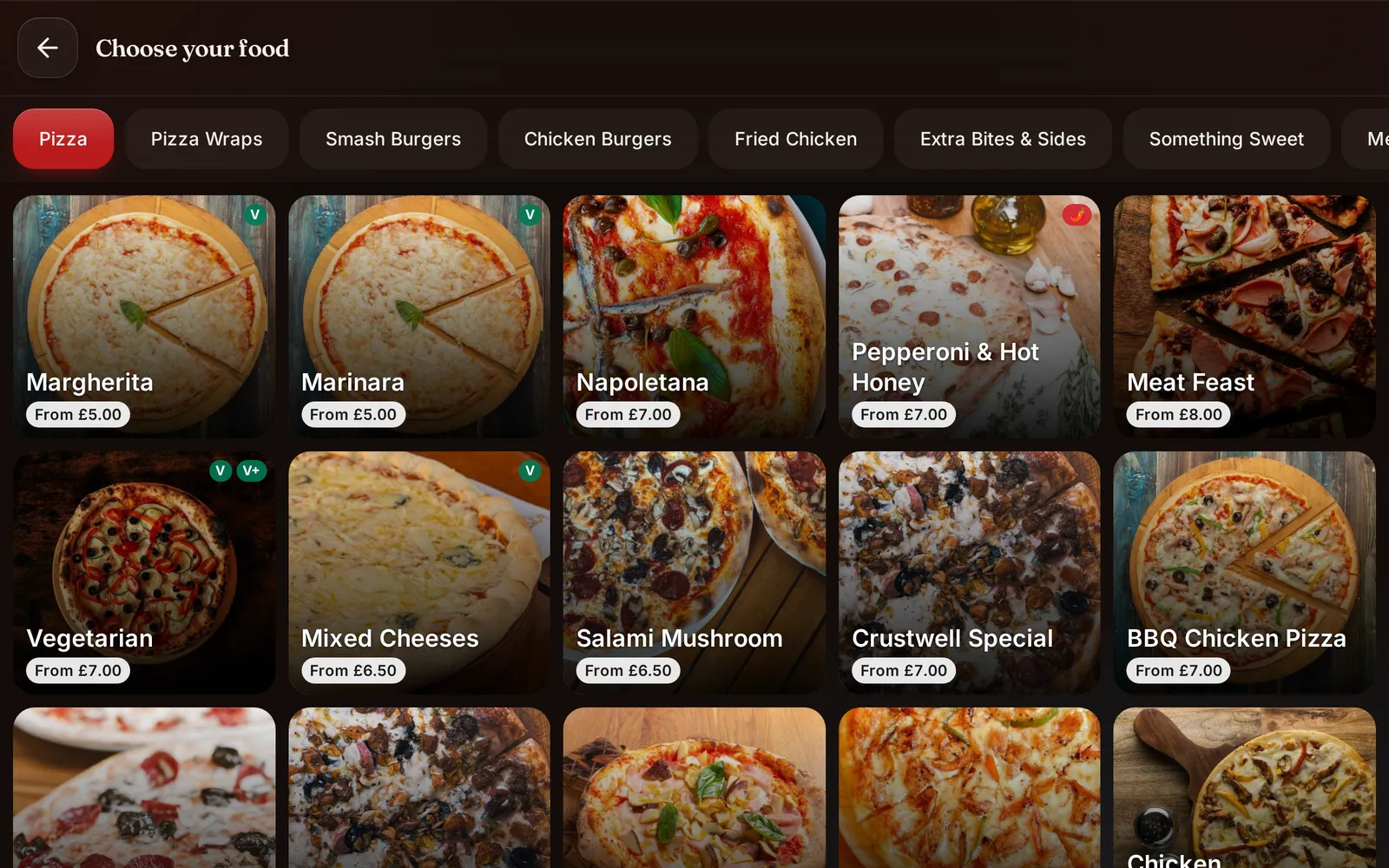
The kiosk app is part of Growth, with two kiosks per plan, and unlimited on Unlimited. It does not sell hardware, so you choose a tablet or touchscreen and a stand. Orders go to the kitchen screens like any other channel. It supports AI voice ordering on the kiosk. Ask us how card payment works on a kiosk in your setup, and try the live demo.
What to check before you buy
- Accessibility: can customers use large text, other languages, and can staff help?
- Allergens: are they shown on the dish?
- Payment: which terminals work with it?
- Offline: what happens if the internet drops?
- Upsell: can you suggest a drink or a side in a calm way?
- Cleaning: is the screen easy to wipe?
A worked example
This is an example with round numbers. If a restaurant wants two kiosks on Square at £35 a month each, that is £70 a month, plus £198 plus VAT for hardware, plus the Plus plan. On DineHarbor's Growth plan two kiosks are within the £129 a month, with your own devices. Totals depend on everything else you buy, so price the whole setup.
Read our upselling without pushing guide for how to word kiosk suggestions.
Questions and answers
How much does a restaurant kiosk cost?
Square lists its kiosk software at £35 per device a month and kiosk hardware at £99 plus VAT, as of October 2026. Lightspeed and Flipdish publish no kiosk price. DineHarbor includes the kiosk app from Growth at £129 a month per location.
Do kiosks increase sales?
They can, because they offer add ons consistently, but we do not quote a percentage. Test one at your busiest hour and compare average order value before and after.
Do I need a kiosk?
Only if queues at the counter are a real problem. See our kiosk guide for when it makes sense.
Can a kiosk show allergens?
It can if the menu data holds them. Check how each system shows them before launch.
See it in DineHarbor
About the author
Editorial team
The DineHarbor team writes this blog for restaurant owners and managers. Every article is checked against the product before it is published, so what we describe is what the software does.
All articles by DineHarbor team