

Restaurant Reservations and Floor Plans
Use reservations, a floor plan, tables and a waitlist in one restaurant system, with clear booking rules and a practical routine for reducing no shows.
7 min read
On this page
In short: connect reservations to the real floor plan so staff can see when, where and for how many people a table is needed. Use clear confirmation and cancellation rules, keep a waitlist for genuine openings and review your own arrival patterns. No software can promise to remove no shows.
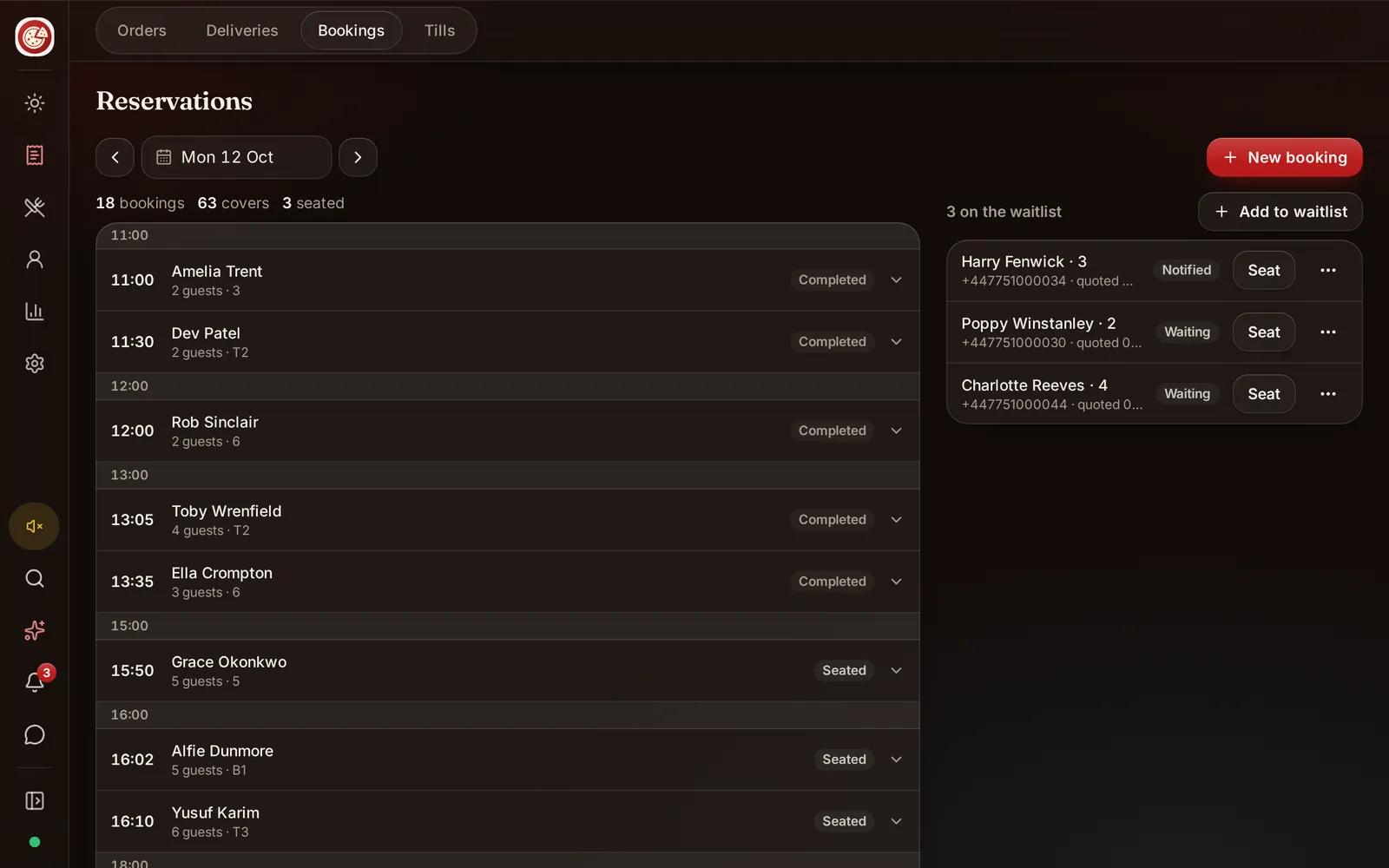
DineHarbor includes reservations and a floor plan, with tables and a waitlist on every public plan. The value comes from keeping the booking book and service floor aligned.
Build the real floor plan
Start with every usable table, its normal capacity and physical position. Use names staff already understand. Include areas such as terrace, bar and private room only when they can actually be booked.
Record which tables can join and the realistic combined capacity. Do not let the software assume two nearby tables can be moved if the room, accessibility route or safety plan prevents it.
Keep a little operational space. A plan filled to the theoretical maximum can ignore highchairs, wheelchairs, service routes and guests who need more room. The floor plan supports judgement; it does not replace it.
Walk the digital plan with hosts and waiters. Check that the orientation matches how they enter the room. Table numbers should be readable on a small screen without overlapping.
Define booking rules
Set the party sizes, service periods and lead times the restaurant can support. Decide whether a booking has a table duration and how that is communicated. A hidden time limit creates conflict.
Ask only for information needed to manage the reservation and agreed communication. Name, party size, date, time and a contact route are common, but privacy law and local rules apply.
Create a clear policy for late arrival, cancellation, accessibility and large groups. If deposits or card details are used through any provider, explain the terms before confirmation and obtain specific legal and payment advice.
Do not offer every empty table online. Kitchen capacity, staffing and the shape of bookings matter. Several large parties at once can overwhelm service even when chairs are available.
Confirm without overwhelming guests
A useful confirmation repeats the restaurant, branch, date, local time, party size and change route. It should tell the guest how to cancel or contact the venue.
Send only notifications the restaurant has lawfully configured. DineHarbor supports reservations, but this article does not promise a particular reminder channel or schedule. Check the current setup before publishing a reminder policy.
Make changes easy. A guest who can quickly reduce a party or cancel gives the restaurant a chance to use the table. Keep a staff route for people who cannot use the online option.
Review the next service at a fixed time. Call only where the restaurant's policy and lawful communication route support it. Do not repeatedly contact guests because a booking feels uncertain.
Use a waitlist fairly
A waitlist records guests willing to take an opening. Capture party size, arrival state and a contact route, then explain that joining is not the same as a confirmed table.
Estimate from the current floor, not a generic promise. If the estimate changes, tell the guest. Mark people seated, left or no longer waiting so the list stays useful.
When a reservation cancels, offer the table according to the restaurant's stated process. Avoid holding several parties in uncertainty for the same opening. Time limit an offer only if the guest understands it.
The waitlist can also help walk in service. Hosts can see who arrived first and which party fits the next appropriate table, while still making reasonable accessibility adjustments.
Seat the service, not just the booking
At arrival, confirm the name and party rather than exposing the whole booking list. Assign the actual table and tell the waiter. If the party changes size, update the record so the floor remains accurate.
Connect table state with service. A seated booking becomes an active table, and a finished table needs cleaning before it is available again. Do not mark it free while guests are still leaving.
DineHarbor's waiter handheld and table service tools can carry the order from the floor. Read how to serve tables with a waiter app for course and payment flow.
Reduce avoidable no shows
No show claims often use broad statistics that do not describe one restaurant. This article does not use an invented rate. Measure your own confirmed bookings, arrivals, late cancellations and no shows.
Start with clarity. Show the correct branch, date and time zone. Give a direct cancellation route. Repeat any deposit or late policy before confirmation.
Review patterns without punishing all guests for a few cases. No shows may cluster by day, booking source, party size or long lead time. A small policy change targeted at a real pattern is better than adding friction everywhere.
If you consider deposits, card guarantees or fees, check consumer, payment, tax and privacy duties. Configure only what the current product and payment provider support. DineHarbor's fact list confirms reservations, not a public no show fee feature.
Review five measures
Each week, check bookings made, guests seated, cancellations with notice, late cancellations and no shows. Add average party size and table turn time only if the records are consistent.
Compare similar service periods. A Saturday evening and Tuesday lunch have different demand. Keep notes for weather, events and room closures.
Use the data to adjust slots and staffing, not to invent certainty. If a time repeatedly has more demand than the kitchen can serve, reduce availability even when tables look open.
Ask hosts what the numbers miss. Duplicate names, incorrect phone details and tables marked ready too early may be process problems rather than guest behaviour.
A practical daily routine
Before service, check the floor, table closures, large parties, accessibility notes and waitlist. Confirm who owns the host view.
During service, update arrivals, table assignments and changes promptly. Keep sensitive notes limited and professional. At close, mark outcomes and correct obvious duplicates.
Once a week, archive temporary table changes and review permissions. Only staff who need reservation details should see them.
Reservations work when the booking promise, physical table and kitchen capacity agree. A single system helps the team see that picture, but people still make the judgement.
Test the difficult bookings
Do not test only a table for two at a quiet time. Create a large party across joined tables, two bookings with similar names, a guest needing step free access, a late arrival, a reduced party and a walk in added to the waitlist.
Move one booking to another time and cancel another. Confirm that the old table capacity becomes available and the guest sees the correct current details through the supported route. Check that a staff note is useful, limited and not exposed where it should not be.
Run the test on a phone at the host stand and on the device used by the floor manager. Long names and details should wrap rather than crush the table view. Arabic must read right to left without separating times or party numbers from their meaning.
Finally, simulate a room change just before service. Close one table and see which bookings need a decision. This reveals whether the team understands capacity or merely trusts green spaces on a screen.
Ready to map your tables and test the booking flow? Start the 30 day free trial with no card needed.
Questions and answers
Does DineHarbor include restaurant reservations?
Yes. Reservations, a floor plan, tables and a waitlist are available on every public plan.
Can software prevent every no show?
No. Clear confirmations and easy changes can reduce avoidable confusion, but no system can guarantee that every guest arrives.
Should I overbook a restaurant?
Overbooking can leave confirmed guests without a table. Make any policy from your own capacity, arrival and cancellation data, with a clear recovery plan.
See it in DineHarbor
About the author
Editorial team
The DineHarbor team writes this blog for restaurant owners and managers. Every article is checked against the product before it is published, so what we describe is what the software does.
All articles by DineHarbor team