Restaurant Stock Control That Staff Can Keep
Build practical restaurant stock control with clear units, recipes, purchase orders, receiving, regular counts, waste records and calm variance reviews.
7 min read

On this page
Key takeaways
- Reliable stock control begins with clear item names and units, starting only with expensive, perishable and often unavailable ingredients.
- Record purchases, transfers, recipe use and waste, and book in what actually arrived rather than what the invoice says.
- Count at a quiet time using the same route each time, and have a second person check large differences before posting.
- Investigate variance calmly by checking units, deliveries, transfers and recipes before assuming misconduct.
In short: reliable stock control begins with clear item names and units, then records purchases, transfers, recipe use, waste and counts. Count consistently, investigate meaningful variance and correct the process rather than changing numbers to look tidy.
DineHarbor's inventory and stock tools include stock items, purchase orders, receiving and stock counts. The system can keep records, while the restaurant defines accurate units, recipes and working routines.
Start with the items that matter
Do not build a huge inventory list on the first day. Begin with expensive, perishable and frequently unavailable ingredients. Add the rest after staff can maintain the core.
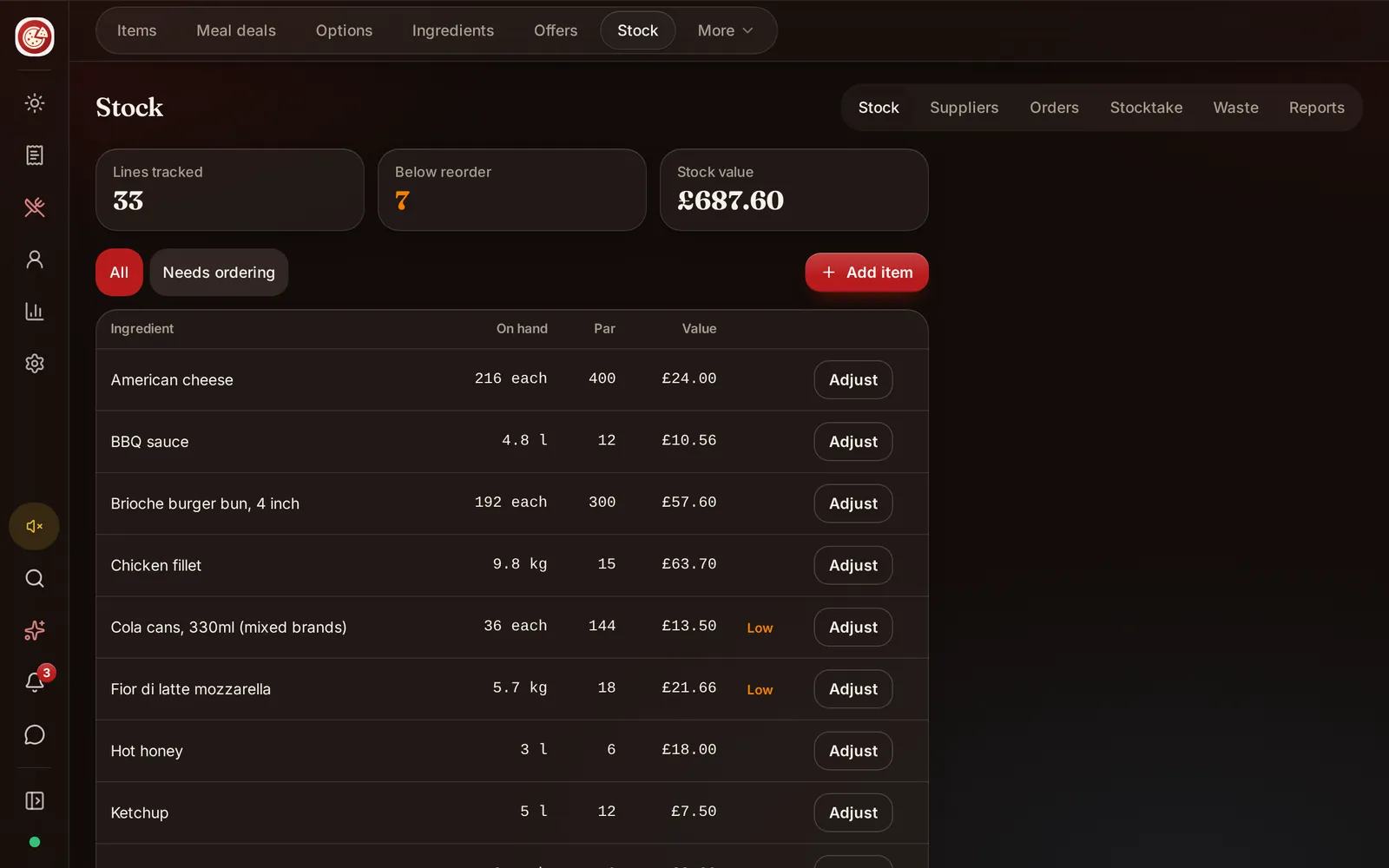
Give each stock item one plain name and base unit. Decide whether oil is counted in litres, bottles or both with a defined conversion. Avoid vague units such as one pack when suppliers sell different pack sizes.
Record the supplier item and purchase unit separately from the kitchen stock unit where needed. A case can contain several packs, and a pack can contain a weight or number of portions. Test the conversion with a real delivery.
Keep locations clear. Main store, bar, freezer and branch are not interchangeable. DineHarbor supports multi branch operations and stock transfers, but each movement needs a real origin and destination.
Connect recipes carefully
Recipe based usage can estimate what an order consumes. It only works when portions and yields are realistic.
List ingredients for popular products first. Include sauces, garnishes and cooking inputs that materially affect cost or availability. Use prepared components where the kitchen makes a batch, then define how that batch feeds dishes.
Yield matters. A kilogram bought is not always a kilogram served after trimming or cooking. Record the usable relationship based on controlled kitchen work, not a guess copied from another restaurant.
Review options and sizes. Extra cheese, a large portion and a removed ingredient change theoretical use. Deals and bundles still consume their components.
Never let a recipe record override allergen controls. Inventory and allergen information can share ingredient facts, but food safety needs its own approved process.
Use purchase orders
A purchase order states what the restaurant intends to buy from a supplier. It helps separate an approved order from a delivery and invoice.
Create orders from real need, current stock and expected trade. DineHarbor includes purchase order actions and can suggest needs from configured stock rules. A suggestion is a starting point; a buyer should check events, closures, promotions and supplier minimums.
Use supplier pack sizes and prices accurately. Record the expected delivery date and who approved the order. Avoid placing the same requirement by phone and system without marking one route, or duplicate stock may arrive.
Open orders matter when assessing availability. Goods already ordered are not on the shelf, but they affect what still needs buying. Keep status current when suppliers confirm, delay or cancel lines.
Receive what actually arrived
Do not mark the purchase order received from the invoice alone. Count or weigh the delivery, inspect condition and compare each line.
Record shortages, substitutions, damage and price differences. A substituted ingredient may also change allergens or recipe results, so notify the menu and kitchen owners before use.
Book stock in using the received quantity and correct unit. Keep supplier documents according to the restaurant's accounting and traceability duties.
Separate receiving from approval where the team size makes that sensible. Individual accounts and an audit trail help investigate differences without relying on memory.
Count stock consistently
Choose a time when movement is low, such as after close or before preparation. Counting while goods are arriving and recipes are being made creates avoidable differences.
Use the same physical route each time. Label shelves and avoid storing the same item under unrelated names. Count unopened units and measure open units with an agreed method.
DineHarbor stock counts record counted lines and can flag variance against configured thresholds. A threshold is a prompt to review, not proof of theft or error.
Have a second person check large differences before posting. Confirm unit, location, recent delivery, transfer and waste. Then submit the true physical count, with a reason where the process requires one.
Record waste and movement
Stock leaves for more reasons than sales. Spoilage, preparation trim, staff meals, breakage, samples and mistakes need categories the restaurant can use consistently.
Keep the list short enough for staff to choose honestly. A single other category hides patterns, while dozens of reasons slow service. Review examples during training.
Record branch transfers at both ends through the supported flow. The sending branch loses stock and the receiving branch gains it only when the movement is real. Do not fix one branch by editing the other's count.
If an item is unavailable, update the menu promptly. Inventory may inform the decision, but a manager should understand whether a low number represents the shelf accurately.
Investigate variance calmly
Theoretical stock is the opening quantity plus receipts and transfers in, less recorded use, waste and transfers out. Physical stock is what staff count. The difference is variance.
Start with ordinary causes: wrong unit conversion, missed delivery, unposted transfer, recipe quantity, yield, waste, count location or timing. Check data before assuming misconduct.
Look for repeated patterns. One unexplained bottle may be a counting mistake; the same item differing every week suggests a process worth observing.
Use value as well as quantity. A small difference in an expensive ingredient may matter more than a large number of low cost disposables.
A weekly routine
Pick a stable count time and named count owner. Prepare by completing receipts and transfers. Count priority items, review flagged lines with a second person and post the accurate result.
Then review open purchase orders, low stock, waste and frequent unavailability. Choose one corrective action, such as fixing a recipe unit or moving a shelf label.
Reports can support sales context, but stock control is not only a finance exercise. Ask cooks which ingredient causes substitutions and ask buyers which supplier pack changes unexpectedly.
Once a month, review inactive items, duplicate names, supplier conversions and permissions. Archive or merge only through a safe process that preserves historical records.
Avoid false precision
Not every pinch of salt needs real time depletion on day one. Track to the level the team can keep accurate and the business can act upon.
Automated suggestions depend on inputs. A perfect formula with poor recipes and late receiving is less useful than a simple count performed consistently.
Stock control should reduce surprises, support buying and protect menu availability. It should not become a second kitchen that staff must feed with duplicate work.
Connect stock to menu availability
A low stock record is useful only when the restaurant can act. Decide who may mark a dish unavailable and who may substitute an ingredient. Do not let an automatic assumption sell a dish when the physical item is missing.
Review frequent unavailable products beside purchasing and recipe data. The cause may be demand, late receiving, a wrong yield or a supplier pack conversion. Fixing the cause is better than raising every reorder level and filling the store.
Tell front of house promptly. The till, waiter route and online menu should not make different promises about the same dish.
Ready to build a controlled stock list and first count? Start the 30 day free trial with no card needed.
Questions and answers
How often should a restaurant count stock?
Count valuable and fast moving items often enough to act on differences, with a full routine suited to the business. Consistency matters more than a generic schedule.
Does DineHarbor support purchase orders?
Yes. DineHarbor inventory includes purchase orders, receiving and stock counts, along with stock movement records.
Should theoretical stock always match the shelf?
No. Yield, waste, recipe changes, mistakes and unrecorded movement can create differences. Investigate significant variance rather than forcing the count to match.
See it in DineHarbor
About the author
Editorial team
The DineHarbor team writes this blog for restaurant owners and managers. Every article is checked against the product before it is published, so what we describe is what the software does.
All articles by DineHarbor team